Main:
Main: 
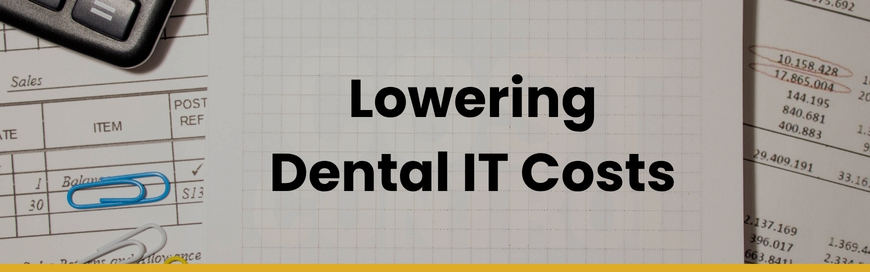
For most dental practices, IT is one of those expenses that feels necessary but frustrating. You need your systems to work. You need support when something breaks. You need security, backups, and reliable performance. But you also don’t want to overpay for services you don’t actually need.
That leads to a very common question: How can I pay less for dental IT services?
The honest answer is this: lowering your IT costs usually has less to do with negotiating price and more to do with eliminating waste, choosing the right support model, and building a healthier technology environment overall.
At Pact-One, we help practices find practical ways to save — not by cutting corners, but by making smarter decisions.
Whether you work with us, another IT provider, or manage some technology in-house, here are the most effective ways to reduce your dental IT costs without creating bigger problems later.
1. Right-Size Your Device Count
One of the simplest ways to reduce dental IT expenses is to take a hard look at how many devices you’re actually supporting. Over time, most practices accumulate technology they no longer truly use:
- Retired workstations still counted in support
- “Backup” PCs that rarely get touched
- Front-office computers replaced but never fully removed from management
- Shared or duplicate devices that don’t need full coverage
If your IT pricing is based in part on supported devices, unnecessary equipment can quietly increase your monthly spend.
What to Review:
- Are there old computers still connected to the network?
- Are all operatory, front desk, and admin devices actively used?
- Do spare machines need full support, or should they be decommissioned?
- Are there redundant printers, scanners, or peripherals causing issues and support tickets?
“Most practices don’t set out to overbuy. It usually happens gradually – an extra device here, a leftover service there, a tool that made sense a few years ago but no longer fits. Our job is to help clients step back, look at the full picture, and make sure what they’re paying for still matches how the practice operates.”— Larry E. | General Manager at Pact-One
2. Align IT Support Model with Practice Reality
Not every practice needs the same level of dental IT support.
Some need fast remote helpdesk support for a stable, standardized environment. Others need a more comprehensive engagement with onsite IT support, strategic planning, vendor coordination, and deeper security oversight. The problem comes when a practice is paying for a coverage model that doesn’t match how it actually operates.
In many cases, a remote-first support model is more cost-efficient than an arrangement heavily dependent on onsite visits. Remote support can often resolve:
- Software issues
- User access problems
- Printer mapping
- Workstation troubleshooting
- Backup alerts
- Network diagnostics
- Practice management software support coordination
Onsite service still matters, especially for:
- Hardware replacement
- Networking issues
- Server work
- Cabling and physical infrastructure
- Major office changes or expansions
But if your environment is healthy and standardized, you may not need as much onsite support as you think.
If you’d like a comparison of IT service structures, Pact-One’s article on Remote Assist vs. TotalCare offers a helpful breakdown of how support models can affect both operations and cost.
3. Standardize Your Hardware and Network Environment
Standardization is one of the most overlooked cost-saving strategies in dental IT.
When a practice has a mix of device types, operating systems, workstation ages, firewall models, backup solutions, and user setups, support becomes slower, more reactive, and more expensive. Every exception adds complexity. And complexity almost always increases cost.
A standardized environment usually includes:
- Consistent workstation models
- Predictable replacement schedules
- Approved networking equipment
- Documented user permissions
- Aligned backup and security tools
- Fewer one-off exceptions
Why does this matter? Because standardized environments tend to produce:
- Fewer support tickets
- Faster issue resolution
- Easier onboarding
- Simpler vendor coordination
- Better security outcomes
- Lower long-term support costs
Standardization helps practices spend less not because support is “cheaper,” but because the environment is less chaotic.
“Standardization lowers support costs because it makes the environment easier to understand, maintain, and protect. When every room or location is set up differently, you lose speed, consistency, and predictability – and that usually shows up in both cost and frustration.”— Joe C. | Service Director at Pact-One
Have a multi-location practice or operate a dental organization? Check out our article on how to simplify and unify your multi-location dental practice IT ecosystem.
4. Reduce Vendor Overlap and Clarify Accountability
This is the section many practices miss.
A lot of dental offices don’t realize how much money gets lost in fragmented IT ownership.
You might have:
- One company for IT support,
- another for backups,
- another for email security,
- another for cybersecurity tools,
- a network vendor from years ago,
- and internal staff trying to hold it all together.
On paper, that setup can seem manageable. In reality, it often creates overlap, confusion, and gaps.
Multiple technology vendors can lead to:
- Duplicate tools
- Overlapping licenses
- Unclear ownership
- Slower issue resolution
- More time spent managing contracts and renewals
When the environment is managed to one standard, practices often get:
- Clearer accountability
- More consistent deployment
- Fewer “who owns this?” moments
- Less wasted spend on partially managed tools
This doesn’t mean every practice must use one vendor for everything. It means every service should have clear ownership. If ownership is fuzzy, costs tend to rise.
When multiple vendors are involved, someone still has to coordinate the moving parts. If that “someone” is your office manager, clinical leader, or operations team, the practice is paying for that fragmentation one way or another.
5. Don't Keep Aging Hardward Too Long
It’s understandable: when a computer still turns on, it’s tempting to keep using it.
But aging hardware often becomes expensive in ways that don’t show up on a purchase order. Older machines can cause:
- Slower performance
- Compatibility issues
- Increased support tickets
- Patching problems
- Security gaps
- Disruption during patient care
There’s a difference between being cost-conscious and being reactive.
A thoughtful hardware lifecycle helps practices avoid paying repeatedly for:
- Emergency troubleshooting
- Temporary workarounds
- Rushed replacements
- Team downtime
- Inconsistent performance
If your practice hasn’t reviewed its hardware recently, it may also help to build a structured replacement strategy instead of keeping outdated equipment alive longer than it should. Pact-One’s article on when to replace computers, servers, and network hardware is a useful next step.
6. Build a Annual IT Cost Review
If you want to pay less for technology in your dental office over time, build a simple review habit. Once or twice a year, review the following:
Device review
- Are any retired systems still being counted?
- Are there duplicate or underused workstations?
- Are unsupported endpoints still active?
Support review
- Are we paying for onsite support we rarely use?
- Are the same issues repeating?
- Is our current coverage model still the right fit?
Standardization review
- Are hardware choices drifting?
- Are some locations harder to support than others?
- Are old devices creating recurring tickets?
Vendor review
- Are two vendors doing parts of the same job?
- Are any tools underused or unmanaged?
- Is accountability clear?
Hardware review
- Do we have computers on outdated operating systems (such as Windows 10)?
- Are any computers over 5 years old?
- Are our computers still under warranty?
Simple reviews like this often uncover savings without weakening protection.
7. Use Referral Credits or Loyalty Programs When Available
Operational improvements should come first. But if your IT provider offers referral credits or loyalty-based savings, those can help too.
For example, Pact-One’s referral program offers a $500 credit toward the next monthly invoice for each referral that becomes a client.
That’s not a substitute for right-sizing or standardization, but it’s a legitimate way to reduce costs if you’re already happy with your IT company.
Best Way to Pay Less for Dental IT Services
“The mistake we see most often is trying to save money by trimming protection instead of trimming waste. In a dental practice, that can backfire quickly because lost productivity, delayed patient care, and reactive fixes are almost always more expensive than a well-managed environment.”— Dan E. | CEO of Pact-One
If you want to lower dental IT costs, start here:
- Remove devices you no longer need
- Choose the right IT support model
- Standardize your technology environment
- Replace aging equipment before it becomes disruptive
- Reduce downtime through planning and prevention
- Use referral credits or loyalty programs
The best savings usually come from better decisions, not bargain-basement support.
And if you’re comparing options, your goal shouldn’t be to find the cheapest IT company. It should be to build a technology environment that is efficient, secure, supportable, and resilient enough to protect production.
That’s what saves money over time.
Want to better understand what drives dental IT costs?
Explore Pact-One’s Dental IT Services Pricing Guide for a clearer look at pricing factors, support models, and what influences total cost.
Want to uncover waste, risk, or inefficiencies in your current environment?
Learn more about Pact-One’s IT Analysis to see where your setup may be costing more than it should.
Dental IT. Remove the Burden. Embrace the Use.
Quality patient care – it's ultimately why you became a dental professional. But, some business operations can get in the way (such as pesky computer issues or lack of IT support). That’s where Pact-One Solutions can help! Our passion lies in supplying reliable, responsive dental IT support and security that practices can count on.
Whether you’re looking for dental IT services for your startup or searching for more responsive dental IT support – our team of dental IT specialists have you covered. With team members throughout the United States, we offer nationwide support to dental practices of all sizes, specialties, and stages of growth. Our wide range of dental IT services ensure your data is secure, accessible, and protected.
Don't let technology challenges hinder your ability to deliver exceptional dental care. Contact us at info@pact-one.com or 866-722-8663 to join over 3,000 dental professionals thriving with the support of a dedicated dental IT team.