Main:
Main: 
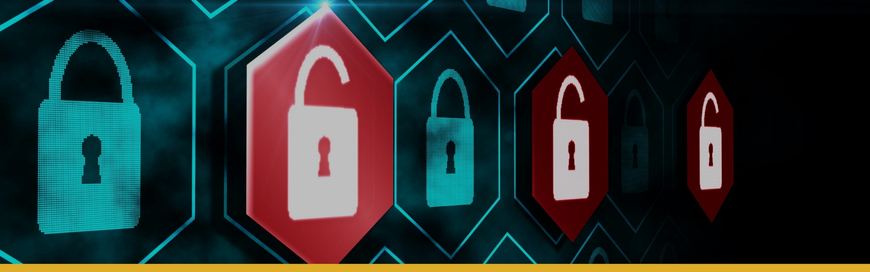
A single notification flashes across a screen you’ve stared at a thousand times:
“Your files have been encrypted.”
And suddenly your practice isn’t just “having a tech issue.” It’s frozen.
- The front desk can’t pull tomorrow’s schedule.
- Hygienists can’t open charts.
- Imaging won’t load for the patient already in the chair.
- Billing can’t post payments or run claims.
This is the part nobody says plainly enough: ransomware isn’t just downtime...it’s a compliance event with a paper trail.
If you’re leading a dental practice (one location or twenty), you don’t need more panic. You need clarity, a plan, and a partner who understands how dental technology actually behaves under pressure.
When Ransomware Hits, HIPAA Enters the Room
When ransomware encrypts systems that store or access ePHI, U.S. Department of Health and Human Services/Office for Civil Rights (HHS/OCR) guidance is direct:
“When electronic protected health information (ePHI) is encrypted as the result of a ransomware attack, a breach has occurred…” (HHS/OCR)
And it gets more specific:
“…a breach of PHI is presumed to have occurred unless the covered entity or business associate can demonstrate that there is a ‘low probability that the PHI has been compromised.’” (HHS/OCR)
In layman’s terms: You don’t get to treat ransomware like “just IT.” You treat it like a potential breach unless a proper risk assessment supports a low probability of compromise.
That distinction matters, because the decisions you make in the first hours (and days) can affect patient trust, operational stability, and compliance exposure.
Why Dental Practices are Prime Targets
Ransomware groups aren’t targeting dentistry because you’re small. They target dentistry because you’re busy, data-rich, and interruption-sensitive.
Most dental environments include:
- Practice management + scheduling
- Digital imaging (and imaging acquisition PCs that “must work”)
- Patient communications tools
- Insurance workflows
- Shared front-desk workstations
- Vendor access for imaging/practice management support
- After-hours remote access for owners or leadership
That mix creates two things attackers love:
- High urgency (you need systems back now...chair time is revenue)
- High-value data (patient information can be monetized)
And the broader ransomware picture is not calming. The FBI’s Internet Crime Complaint Center (IC3) reported 3,156 ransomware complaints in 2024 with adjusted losses exceeding $12.4 million...and that number doesn’t capture the full cost of downtime and disruption. (FBI IC3)
5-Layer Plan to Make Ransomware Survivable (and often preventable)
You’re the hero here...you’re protecting patients, staff, and the practice you’ve built. The goal isn’t “perfect security.” The goal is resilience: fewer successful attacks, smaller blast radius when something slips through, and a recovery path that’s calm and proven.
1. Backups You Can Actually Restore (and proof that you can)
Backups aren’t a checkbox. They’re your “keep seeing patients” button—but only if they’re designed for ransomware reality. A true defense requires a modern, managed backup solution that includes:
- 3-2-1 backup strategy: 3 copies of data, on 2 different types of storage, with 1 copy offsite.
- Immutable or tamper-resistant backups: ransomware shouldn’t be able to encrypt, delete, or rewrite your backup set.
- Offline/air-gapped protection where appropriate: because some ransomware specifically targets online backups and admin tools.
- Regular test restores (not just “backup succeeded”):
- restore a few random files weekly/monthly, and
- run a scheduled full recovery simulation (quarterly is a common cadence) that validates you can restore core dental workflows.
- Defined recovery objectives:
- RPO (Recovery Point Objective): how much data you can afford to lose (minutes/hours/days).
- RTO (Recovery Time Objective): how fast you need systems back to avoid canceling a day of patients.
- Priority-based restoration plan: what comes up first in a dental office (often scheduling/PM, imaging access, phones/internet, then billing).
- Protected credentials: backup consoles should be guarded with MFA and separate admin accounts, so one compromised login doesn’t compromise recovery.
Related service: Managed Backups & Disaster Recovery
2. Advanced Security & Threat Detection
Traditional antivirus software is no longer enough. Cyber-attacks (such as ransomware) are fast, adaptive, and often “fileless” or disguised. Endpoint Detection and Response (EDR) and Managed Detection and Response (MDR) is about behavior + response.
A strong EDR + MDR solution uses artificial intelligence and machine learning, as well as certified cybersecurity professional to:
- Detect suspicious behavior: flag actions like mass file encryption, credential dumping, unusual PowerShell activity, and lateral movement.
- Contain in seconds: isolate one workstation (or a server) automatically so “one click” doesn’t become “whole office down.”
- Monitor your system 24/7/365: because cyber-attacks don’t wait for business hours...and neither should detection and triage.
- Threat hunt + investigate not just “alerting”, but determining:
- Where the attacker got in,
- What they touched,
- And whether data may have been staged/exfiltrated.
- Prevent an attack from spreading across your network.
Think of EDR as the security “smoke detector” on every device—and MDR as the trained team watching the alarms, investigating fast, and taking action while your staff is busy seeing patients.
Related service: Cybersecurity for Dental Practices
3. Comprehensive Staff Training
our team is your human firewall, but they can also be your weakest link. Ongoing security awareness training is critical but can fail when it’s generic or only completed once in a blue moon. Dental teams need training that respects real-life pace: patients waiting, phones ringing, a vendor calling, a last-minute schedule shuffle.
Recommend approach to cybersecurity training:
- Short, frequent training (micro-lessons) instead of one annual “HIPAA video day.”
- Phishing simulations tailored to what dental teams actually see:
- “new patient forms,”
- “invoice/payment failed,”
- “supply shipment notifications,”
- “vendor support tickets,”
- “fax/scanned document” lookalikes.
- Clear reporting path: “If you clicked something...here’s exactly what to do in 60 seconds.” No shame. Fast reporting reduces impact.
- Password + access hygiene:
- No password reuse or sticky-note habits,
- MFA on email and remote access,
- No shared admin accounts.
- Vendor-access safety: staff should know how to verify a vendor request before anyone installs tools or grants access.
This is a crucial aspect of HIPAA compliance for dental offices. Your people aren’t the problem. They’re the perimeter.
Training resource: Essential Topics to Include in Your Employee Cybersecurity Training
4. Firewall and Network Security (so one infection doesn't become a total collapse)
Think of this as building walls inside your practice. If one room catches fire, the whole building shouldn’t burn down.
Recommended technical guardrails:
- Actively managed business-grade firewall with intrusion prevention and modern threat filtering.
- Network segmentation (VLANs) separating at minimum:
- Guest Wi-Fi,
- Staff devices,
- Servers/ePHI systems,
- Imaging and other specialized devices where possible.
- Secure remote access:
- MFA required,
- No exposed RDP,
- Least-privilege access (only what’s needed, only when it’s needed).
- DNS/web filtering to block known malicious domains and reduce “one click” success rates.
- Centralized logging so investigations aren’t guesswork later.
Related service: Network Management & Support
5. Conducting a HIPAA Security Risk Analysis
The HIPAA Security Rule mandates that you conduct a regular, thorough Security Risk Analysis (SRA). This is the layer that turns “we think we’re compliant” into documented, defensible, and improvable. And it’s where many practices unintentionally get exposed...because technology is only half the story.
A strong SRA process should:
- Map where ePHI lives and flows: practice management, imaging, email, patient texting/communications platforms, cloud storage, vendor portals, backups.
- Identify the top risks by likelihood + impact (not a 70-page report no one uses).
- Evaluate safeguards across three areas:
- Administrative (policies, training, incident response),
- Physical (device security, access controls),
- Technical (access, encryption, logging, backups, MFA).
- Produce a remediation plan with owners and timelines: who fixes what, by when, and how it’s verified.
- Include contingency planning: how you maintain access to critical information during outages (availability matters under HIPAA security expectations).
- Repeat regularly and after major changes: new location, new server, new imaging platform, new vendor tool, acquisition—your risk profile changes.
Many dental practices struggle with meeting all the HIPAA requirements and having the proper policies in place (and documented). HIPAA compliance services for dental practices can help you navigate HIPAA compliance with confidence.
Not sure if your current backups would survive a cyber attack?
Download our free Disaster Recovery Checklist to find out.
How Ransomware Usually Gets In
1. Phishing (the "looks legit" email)
One click on a fake invoice. One “patient intake form.” One email that looks like it came from a vendor or colleague.
Associated resource: How to Train Your Dental Team to Recognize Phishing Emails
2. Unpatched Software (the "we'll update later" problem)
Outdated Windows versions, old firewall firmware, unpatched third-party tools, unsupported systems tied to imaging hardware...attackers actively scan for known weaknesses.
3. Weak Remote Access (the "we need to get in from home" shortcut)
Remote Desktop exposure, reused passwords, missing MFA, vendor remote tools left open too long...this is a common path into small and mid-sized healthcare environments.
HIPAA Breach Notification: What You May Be Required To Do
Under the HIPAA Breach Notification Rule, breaches of unsecured PHI can require notification to affected individuals and HHS...and in certain cases, the media. (HHS)
Two key points leaders should know:
- For breaches affecting more than 500 residents of a State or jurisdiction, covered entities must notify prominent media outlets serving that area. (HHS)
- Notifications must generally be made without unreasonable delay and no later than 60 days after discovery. (HHS)
We’re not sharing this to make your stomach drop. We’re sharing it because ransomware turns time into pressure...and pressure is when well-meaning teams make expensive mistakes.
HIPAA Requirements Most Dental Practices Overlook
HIPAA isn’t only about confidentiality. It’s also about the availability and integrity of ePHI.
OCR’s ransomware guidance emphasizes contingency planning and backups, including the importance of test restorations and the risk that ransomware can disrupt online backups—so offline backups should be considered. (HHS/OCR)
If your backup strategy is “we have something… somewhere,” ransomware has a way of turning that into a very painful discovery.
If You Think You've Been Hit: What to do in the First 30 Minutes
Even with the best defenses, an attack is still possible. If you suspect you've been hit, your first moves matter.
DO
- Isolate affected devices immediately. Unplug Ethernet. Disable Wi‑Fi. Stop the spread.
- Call your IT/security partner. Containment and evidence handling matter.
- Preserve evidence. Don’t wipe or reimage systems before professional guidance.
- Consider contacting law enforcement. OCR’s ransomware guidance notes contacting the FBI or U.S. Secret Service can be appropriate. (HHS/OCR)
DON’T
- Don’t pay the ransom as a first move. The FBI does not encourage paying because it may embolden attackers and does not guarantee recovery. (FBI IC3)
- Don’t try to “DIY” removal on production machines. You can unintentionally destroy evidence and complicate recovery.
What "Good" Looks Like After You Take This Seriously
Ransomware readiness isn’t a trophy. It’s a feeling.
- Your schedule, charts, and imaging aren’t one click away from chaos
- Your recovery time is predictable because you’ve tested it
- Your team knows what to do (and who to call)
- Your HIPAA posture is defensible because it’s documented
- Your technology supports growth instead of quietly holding you hostage
That’s the outcome: calm operations, protected patient data, and a practice that can keep serving people (even when threats show up).
Ready for the calm version of cybersecurity?
Don't wait until a cryptic ransom note appears on your screen. Secure your practice, protect your patients, and safeguard your future today.
Schedule your free Security & HIPAA Compliance Consultation
FAQs: Ransomware + HIPAA for Dental Practices
Is ransomware automatically a HIPAA breach?
HHS/OCR guidance explains that when ePHI is encrypted by ransomware, a breach is presumed unless the organization can demonstrate a low probability that the PHI was compromised using the required risk assessment factors. (HHS/OCR)
Do we have to notify patients after a ransomware incident?
If the incident is determined to be a breach of unsecured PHI, HIPAA’s Breach Notification Rule may require notification to affected individuals and to HHS, and in some cases to the media, depending on the scope. (HHS)
When does the media notification requirement apply under HIPAA?
HIPAA breach notification requirements can include notifying prominent media outlets when a breach affects more than 500 residents of a State or jurisdiction. (HHS)
Should a dental practice pay the ransom to restore access quickly?
The FBI does not encourage paying because payment does not guarantee decryption and can encourage future attacks. (FBI IC3) The most reliable path to recovery is a tested backup and a documented incident response plan.
Can ransomware encrypt our backups too?
Yes. If backups are online or accessible from infected systems, ransomware may encrypt or delete them. OCR notes some ransomware variants can disrupt online backups and highlights the importance of test restorations and considering offline backups. (HHS/OCR)
What’s the single most important step we can take this month?
Verify recovery. A backup that has not been test-restored is not a recovery plan. Confirm you can restore critical workflows (scheduling, charts, imaging, billing) within an acceptable timeframe.
Sources
-
- "Fact Sheet: Ransomware and HIPAA." U.S. Department of Health and Human Services/Office for Civil Rights (HHS/OCR), https://www.hhs.gov/hipaa/for-professionals/security/guidance/cybersecurity/ransomware-fact-sheet/index.html. Accessed 15 Jan. 2026.
- "HIPAA Breach Notifications Rule (overview)." U.S. Department of Health and Human Services (HHS), https://www.hhs.gov/hipaa/for-professionals/breach-notification/index.html. Accessed 15 Jan. 2026.
- “2024 IC3 Annual Report.” Federal Bureau of Investigation (FBI), https://www.ic3.gov/AnnualReport/Reports/2024_IC3Report.pdf. Accessed 15 Jan. 2026.
Dental IT. Remove the Burden. Embrace the Use.
Quality patient care – it's ultimately why you became a dental professional. But, some business operations can get in the way (such as pesky computer issues or lack of IT support). That’s where Pact-One Solutions can help! Our passion lies in supplying reliable, responsive dental IT support and security that practices can count on.
Whether you’re looking for dental IT services for your startup or searching for more responsive dental IT support – our team of dental IT specialists have you covered. With team members throughout the United States, we offer nationwide support to dental practices of all sizes, specialties, and stages of growth. Our wide range of dental IT services ensure your data is secure, accessible, and protected.
Don't let technology challenges hinder your ability to deliver exceptional dental care. Contact us at info@pact-one.com or 866-722-8663 to join over 3,000 dental professionals thriving with the support of a dedicated dental IT team.